Hi there,
The 5.1 SP2 version of our software is finally available, it is declined as previously in two versions:
- PRO version
- CFR version
Under certain conditions, the hotline can advise you to update your software and the firmware of the Saveris boxes.
To carry out an update, it is essential to have the latest version of the software.
For this purpose Testo provides a privileged access for downloading the software.
The various download links are password protected. Proof of purchase of one of the software versions is required to obtain the latest version of the software.
Testo offers to carry out these operations via an on-site maintenance quote or remotely (via TeamViewer / Anydesk or any other remote control solution).
ATTENTION: If your system is validated and you perform an update, you will have to perform a re-validation / partial validation of your system.
Please note that Testo will not be able to cover the costs of the re-validation.
TIP: Before performing a firmware update, you must first acknowledge all alarms.
I: Downloading the software
In order to be able to carry out the operation, please contact Saveris Customer Service in order to request the new version (an estimate will be sent to you)
II: Installing the software
Then install the new version :
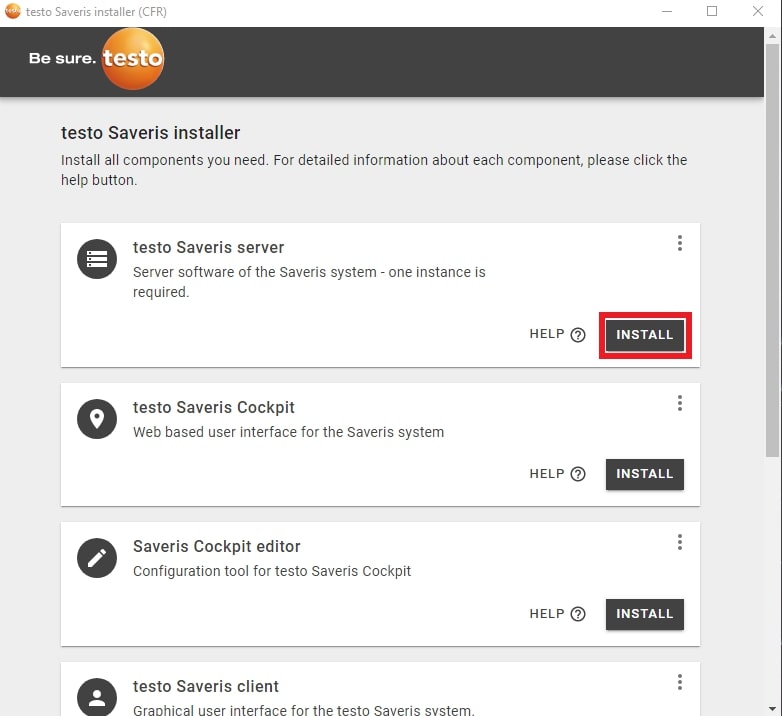
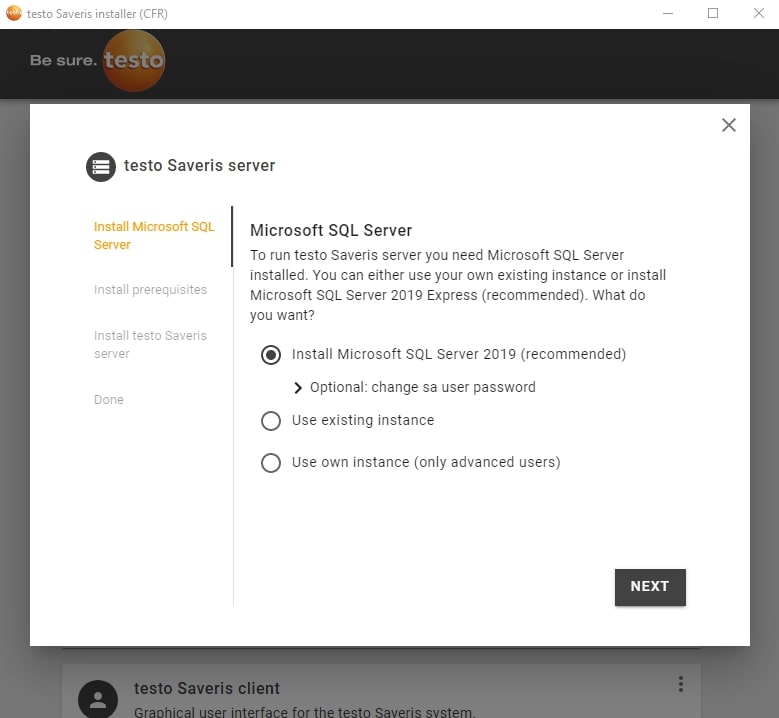
Launch the SQL server installation (if you do not have a database server) :
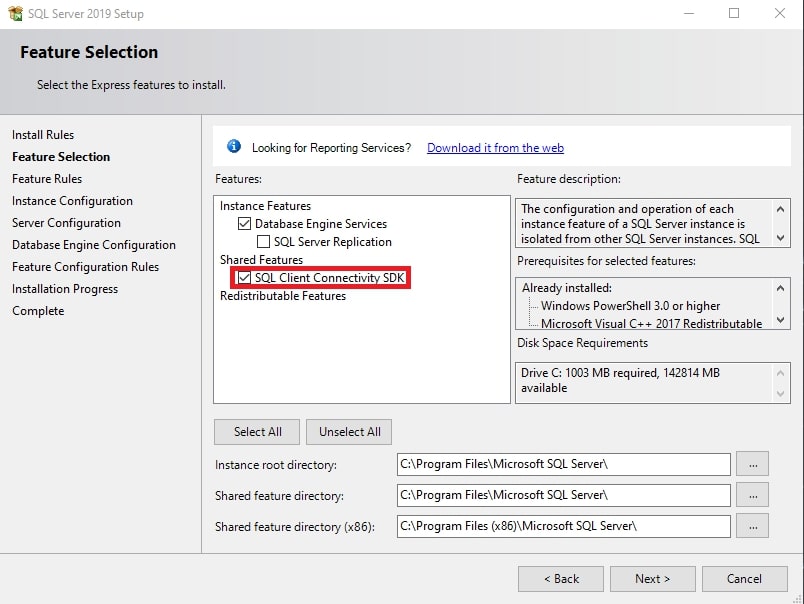
Check "SQL Client Connectivity SDK" and follow the steps (leave everything as default).
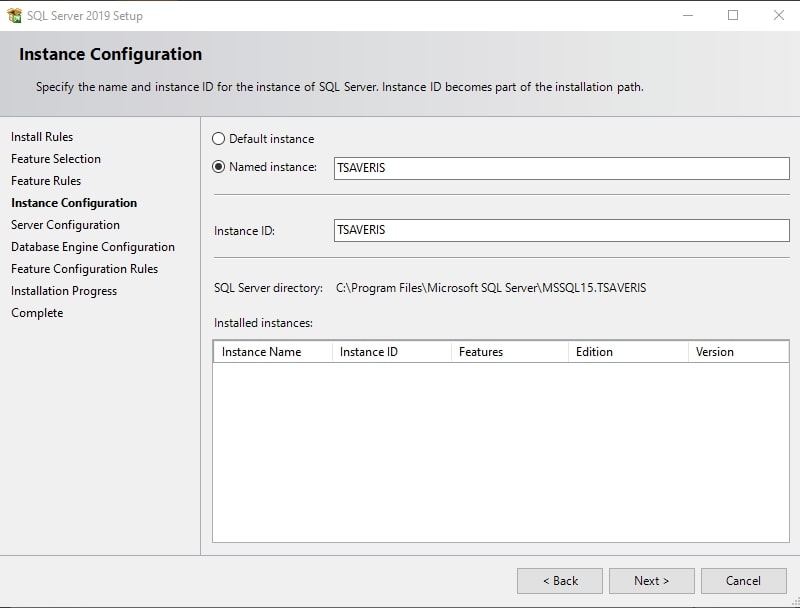
Install the prerequisites:
It will also suffice to press "Next" and leave the default settings
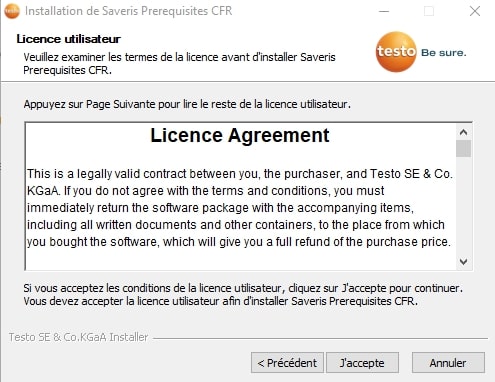
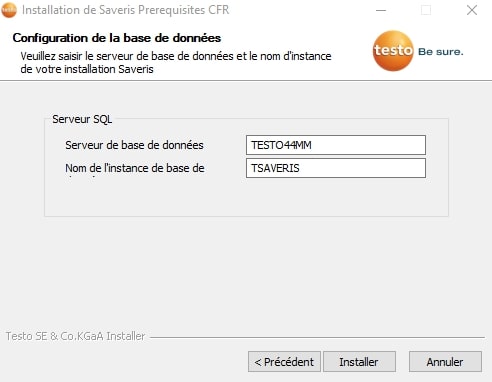
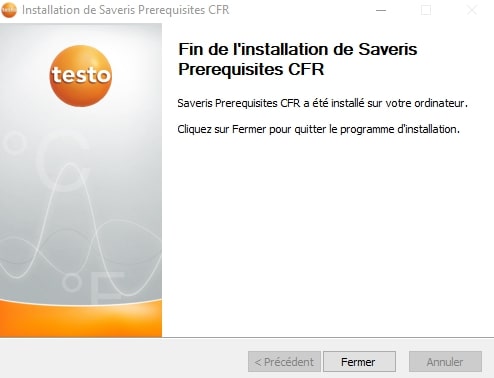
As soon as the installation of the prerequisites is finished, the installation of the server will start, also leaving all the default settings
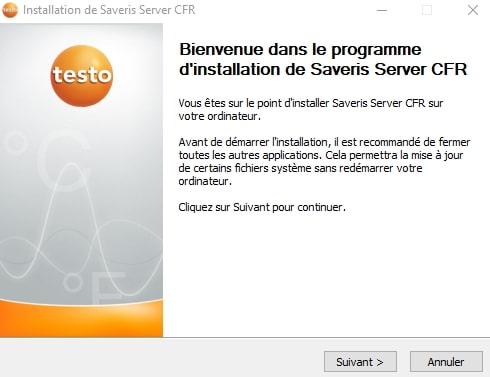
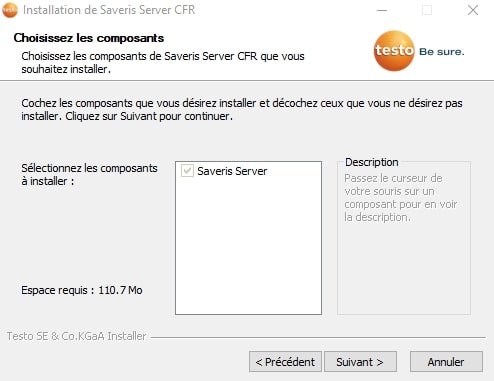
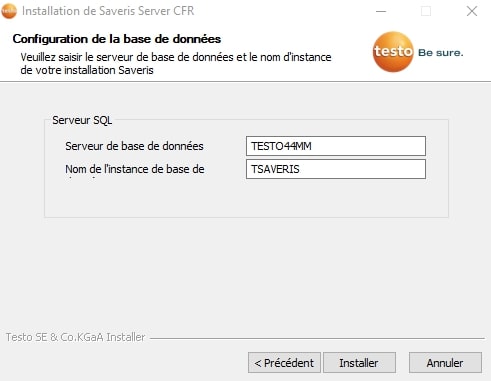
As soon as this operation is completed, the installer will offer you to restart your server:
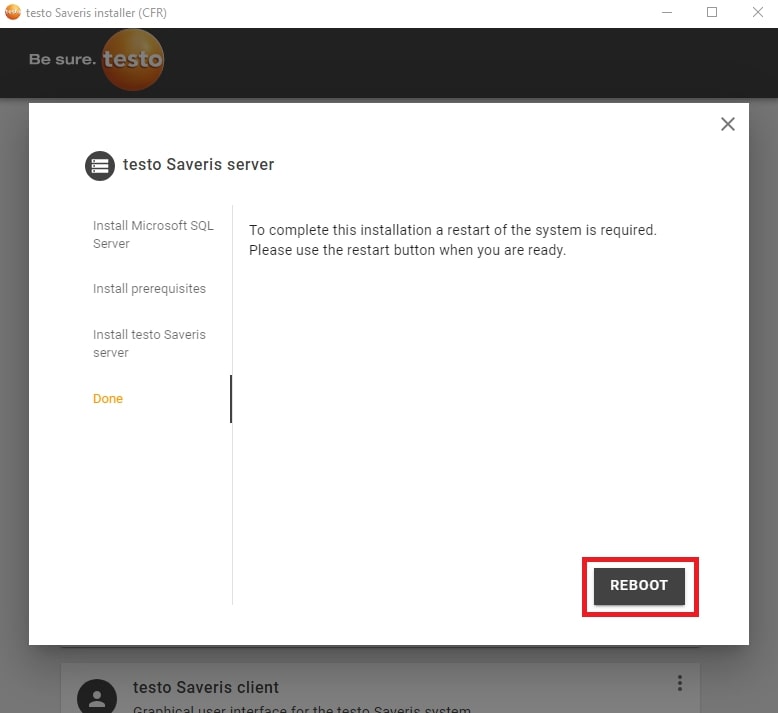
After the reboot your Testo Saveris server will be installed!
Optional :
I. Installation of the client interface + SMTP Mail component
By default, when you install the server version of our software, the installation of the client is no longer automatic, so you will have to go to the testo installer, and launch the client installation. (The SMTP Mail component will be installed at the same time as the client installation).
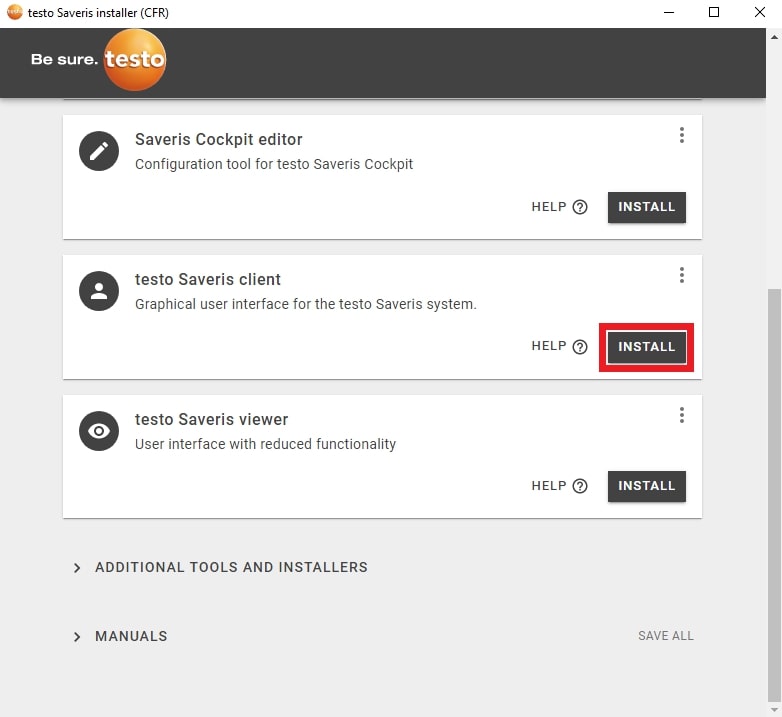
Once the installation is complete, go to your start menu and run "Saveris Client" as an administrator.
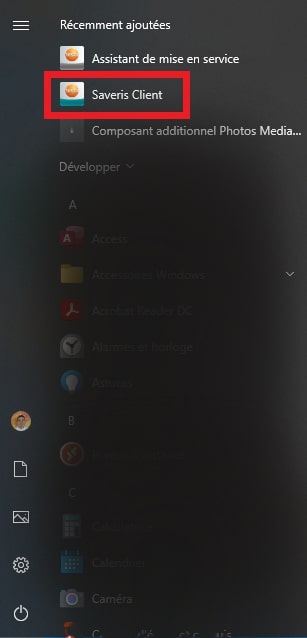
II. Cockpit installation
In order to install the cockpit, all you need to do is go to the testo installer and install the following items:
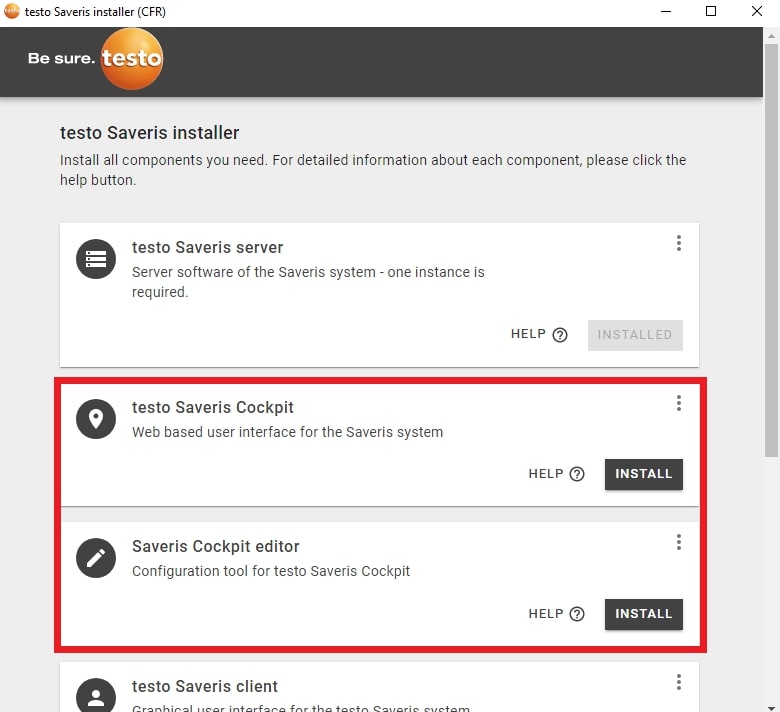
If you do not have an administrator account on your SQL instance, the software will offer you to create one during the installation:
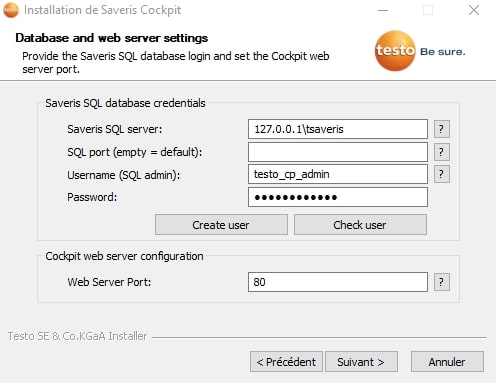
Enter the following information:
- Username: testo
- Password: Request password from support
And press "Create user", this message should appear:
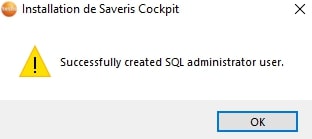
Then simply follow the software by pressing "next".
Opmerkingen
0 opmerkingen
U moet u aanmelden om een opmerking te plaatsen.